Blog
Filter categoryUnique real-world uses of CAD printers

Technical Printing
|11 Jan 2023
A typical large-format CAD printer serves multiple purposes. On the one hand, most users consider it a tool for printing blueprints. But the truth is that large-format CAD printers have myriad uses, not just blueprint printing. This guide highlights the many ways that people use these printers to advance in the engineering, architecture, and construction (AEC) fields.
What is a CAD printer, and how is it used in the real world? Read further to discover how unique a CAD printer can be.
How Is CAD Used in the Real World?
From concept to creation, CAD tools and software have become a buzz in the industry. They enable professionals from different industries to create, analyse, and improve designs efficiently. Although people see a CAD printer as a specific-use device, it is currently gaining popularity in a broad range of industries in various unique ways to enhance performance, productivity, and collaboration.
What Is a CAD Printer?
What Does a CAD Printer Do?
What Uses Do CAD and CAM Have in the World Today?
What Is CAD, and What Are Its Applications and Benefits?
Applications of CAD Printers in the Real World

CAD tools and software enable professionals like engineers, designers, and architects to create efficient designs and improve or analyse them. In addition, they can use large-format, multifunction printing solutions to discuss projects, deliver the proper output, and improve workflow.
CAD helps in numerical data modelling, simulation, and design. As such, its applications cut across industries. Typical applications of CAD printers include:
- General 3D printing
- Dental industry
- Mapping
- Fashion
- Architecture
- Building furniture
- Automotive sector
- Interior design
How Is CAD Used in Manufacturing?
How Is CAD Used by Businesses?
What Advantages Does CAD Have Over Technical Sketching?
Unique Ways CAD Is Being Used
Below are some of the unique applications of CAD in different industries:
- Functional Rapid Prototyping: Using CAD, rapid prototyping allows you to create models or parts. This will enable you to test or simulate your medical device design's functionality before moving on to the next step: manufacturing.
- 3D Printing Industry: 3D printing involves creating a three-dimensional real-world object from a digital model. Currently, almost every industry employs CAD for tasks such as creating and preparing drawings for additive manufacturing applications (3D printing), as well as creating representations for goods in development. 3.** 3D Scanners: **CAD and 3D scans are mutually functional. ‘Scan to CAD’ is a process that involves using scan data from a 3D scanner as a design reference to create incredibly accurate CAD models.
- **Architectural Projects: **Technical drawings deliver detailed instructions on how to make something. Architectural structure and mechanical engineering designs can be included in technical drawings using CAD. When an architect creates a technical drawing, it is to ensure the exact specification of a building for use with the construction and ongoing development of the project.
- Metal Additive Manufacturing: Be it subtractive or additive manufacturing, the design process of almost every product typically starts in CAD. With additive manufacturing (such as 3D printing), you can create more complex geometry and metal products with fewer parts.
Advantages of CAD over manual drafting include:
- Increased accuracy in designs
- With CAD, you can flexibly organise drawing information.
- CAD allows you to ensure conformity to industry drafting standards.
- Easy drawing modifications
Liaise With a Top-Notch Printing Partner
Having an industry-leading partner is an excellent way to leverage different printing software and tools for high-quality, accurate printing. Contact us for support addressing your printing needs, regardless of the project size.
Download our eBook now and discover how innovation is streamlining workflows, producing prints of unmatched quality and increasing IT efficiency like never before.
Download eBook nowExplore plotter printers for your needs
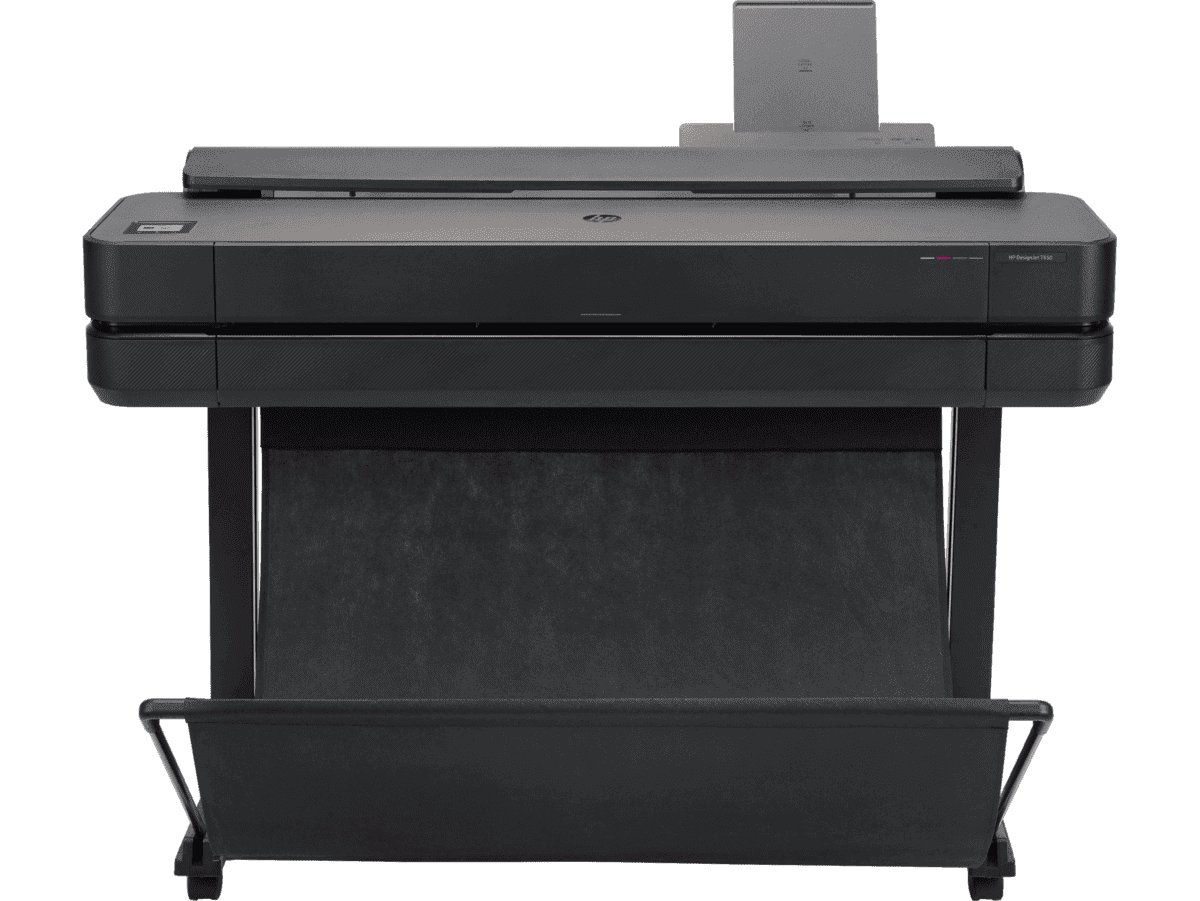
HP DesignJet T650 36-in Printer + HP Installation Service for DesignJet Series Entry Level (APJ)
Functions: PrintAuto sheet feeder: A4, A3; manual feed: A4, A3, A2, A1, A0Print quality color: Up to 2400 x 1200 optimized dpiPrint speed: 25 sec/page on A1, 82 A1 prints per hour[1]Number of print cartridges: 4 (C, M, Y, K)
MYR 11640.00MYR 9880.00Buy Now
Anda mungkin juga suka
 Pencetak Plotter
Print Scheduling Tips for Lower AEC Project Overheads
 Pencetak Plotter
Reducing High-Volume Printing Costs in Malaysian AEC
 Pencetak Plotter
Why using HP MFP for scanning helps reduce rework
- HP DesignJet
Cost-effective printing of safety plans and wayfinding information
- Pencetak Plotter
Plotter care habits that keep your blueprints job-ready
- How-To
How to nake your printer faster for urgent blueprints
- Kelestarian
Paper-saving techniques when printing AEC blueprints
- Alat Digital
Remote printing guide to increase AEC workflow efficiency
- Pencetak Plotter
Cut AEC operating costs with HP Plotters
- Kelestarian
How scheduling plotter saves electricity costs
- HP DesignJet
6 tips to portfolio printing for AEC professionals
- Alat Digital
How HP Click can streamline working processes
 HP DesignJet
Blueprint annotation guide: How to add notes that stay sharp on paper
 GIS
GISPrinting topographical maps: What AEC professionals should know
 How-To
A guide to large format printing for architects and designers
 GIS
GISHow GIS mapping tools support large format printing for civil engineering
 How-To
How to use large format plotters for facility management floorplans
 How-To
Common mistakes and fixes for poor-quality blueprints
 Pencetakan CAD
Common print file types for blueprints explained
 How-To
Common printing mistakes: How to avoid costly errors in large format jobs