Blog
astering Redline Drawings: Effective Methods for Marking Up Construction Plans

Technical Printing
|17 Mar 2025
Successful construction projects in Malaysia heavily rely on good communication and accurate documents, especially as this industry grows and advances. To facilitate these elements, construction projects need redline markup drawings that detail various corrections, edits, and updates on new versions of original plans, keeping all stakeholders on the same page.
Without redlining construction drawings, projects could suffer from delays, miscommunication could occur, and expensive rework might be needed. While conventional paper-based redline markup drawings can still work, advancements in digital printing capabilities make this process even more accurate and efficient.
This guide will explore these drawings, answering the question of what a redline drawing is and detailing how these critical documents work.
Understanding Redline Drawings
First things first: what is a redline drawing, and what does it accomplish for construction teams? Let's take a look.
What Is a Redline Drawing?
A redline markup drawing consists of a drawn line on a construction blueprint, architectural drawing, engineering layout, or another document that indicates certain changes. The name of these drawings comes from the fact that most of these documents use red markings to indicate updates, revisions, new dimensions, or other changes.
The Role of Redline Markups in Construction
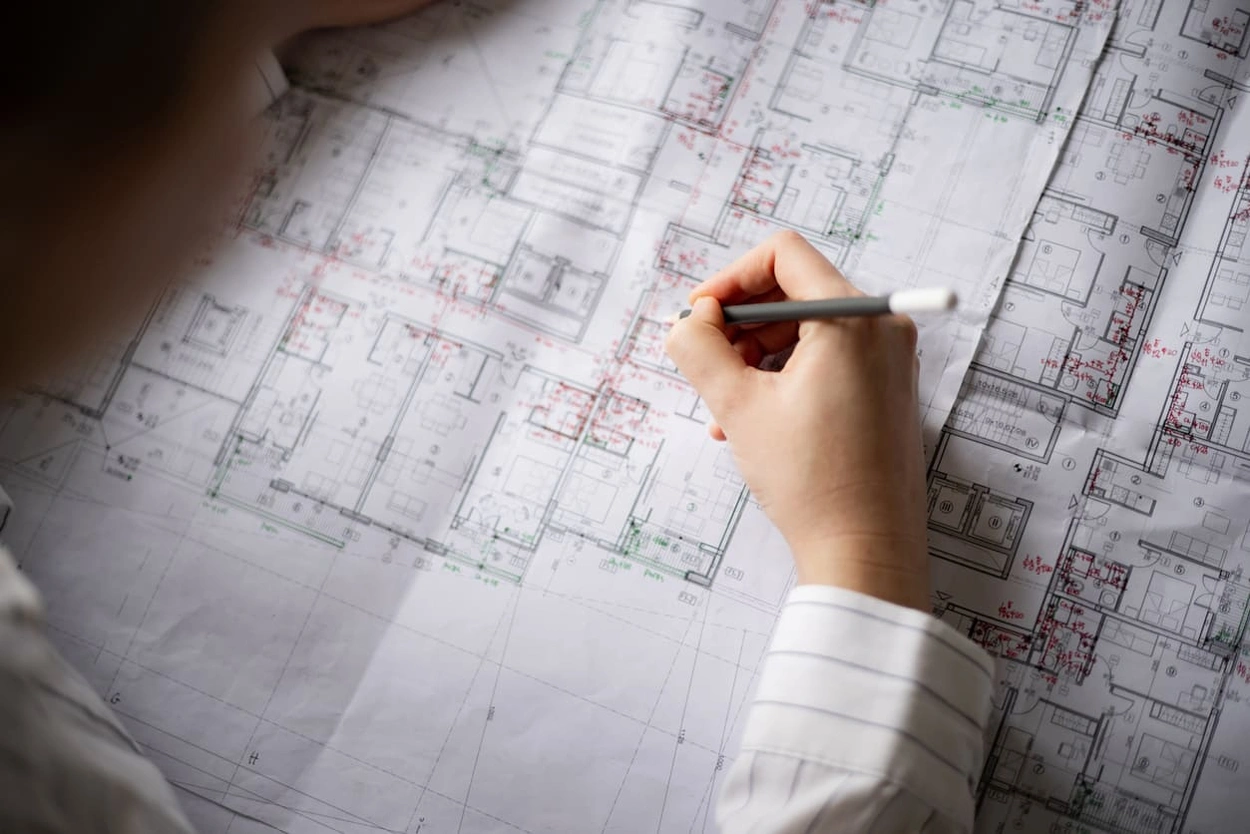
Redline markup drawings use red pencil markings to illustrate changes as drawings pass between professionals or teams. The goal is to make any corrections or modifications to perfect the end project, minimising the risk of costly errors and ensuring all teams understand what the project will entail to complete. As such, these drawings must be very clear and comprehensible to everyone who sees them.
Best Practices for Redlining Construction Drawings
To get the most from redline markup drawings, it's important to get everything you need to complete them the right way.
Choosing the Right Tools for Redline Markups
There are multiple tools that can help you with redlining construction drawings, including:
- Large format printers that can produce drawings with superior accuracy and efficiency
- Redlining software that makes it easy to add markings that are easy to understand and won't lead to misinterpretation
Common Mistakes to Avoid in Redline Drawings
There are multiple potential issues that can compromise redline markup drawings and, subsequently, entire projects. These include:
- Incomplete drawings and missing elements
- Poor coordination and communication across teams or individuals
- Conflicting information
- Confusing or vague detailing
- Low-quality prints that make redlining construction drawings difficult
Digital vs. Traditional Redlining Methods
Many professionals still rely on old-school manual methods for redline markup drawings. But developments in digital technology can streamline this process, keeping it both efficient and devoid of errors.
Advantages of Digital Redline Markups
Digital redline markup drawings offer numerous benefits that make them ideal for many construction projects over manual redlining methods.
For example, you can print pristine, detailed markup that's entirely legible and clear, eliminating the issues that come with manual handwriting and pens or pencils.
Using the right markup software, it's also easy to share markup files with different teams before printing. These teams can instantly make changes to documents without reverting back to the original drawing.
How Large Format Printers Support Accurate Redlining
A large format printer is one of the best tools to use for redlining construction drawings. The right printer can capture every detail, whether copied from manual redline drawings or digitally added drawings using Autodesk or other software.
Reliable large format printers can print at high resolutions to maximise accuracy while also printing at high speeds to produce as many drawings as needed as soon as you need them. High-quality inks and toner can help achieve peak accuracy with every print, from printing crisp redline markings to using the whitest white inks for other spaces.
In turn, you can eliminate potential rework and keep projects on time with the help of the right printer. You'll also get the most from your software with colour-accurate print setups that are compatible with CAD and other drawing formats.
Enhancing Efficiency With Large Format Printing Solutions
For optimum efficiency with every drawing, it's important to get the best large format printer for the job. Not every printer is capable of providing the colour accuracy, precision, compactness, or print speeds you need for your application.
The Importance of High-Quality Print Outputs
Any type of construction print must be of the highest achievable quality to avoid potentially expensive issues that compromise projects. Drawings should clearly communicate all markups and details to prevent miscommunication. This diligence eliminates the need for additional revisions while maintaining the integrity of the finished project.
From architects to construction workers, every professional should work with accurate details that are easy to understand at every phase.
How HP Large Format Printers Improve Construction Workflows in Malaysia
If you're looking for some of the most dependable large format printers and plotters for your next project, you'll find them here at HP. We offer a selection of many top-quality printers, and our collection of DesignJet printers gives construction industry professionals the results they need with every print.
Our printers are available in multiple sizes, with some of the best inks and toners on the market. They can print on many types of materials, including paper, film, vinyl, and other print media.
If you need to print multiple drawings in rapid succession for multiple professionals or teams, you can also easily do so with high print speeds. Additionally, our printers work with all types of redlining software and other design software in construction applications, making print setup quick and easy with each project.
Make Redlining Construction Drawings Easy With HP
Want to get the best results with your redline markup drawings? HP is here to help. Browse our complete printer inventory to find the best model for your application. We offer solutions for when you need a printer that can meet tight space restrictions, print at some of the fastest speeds, or maximise quality across all prints.
We also aim to help you maintain cost-effective operations with plenty of deals on our large format printers. Check out our DesignJet promotions today to find a model to get you started. You can also contact us for more information about our products and capabilities.
You Might Also Like

Top 5 Printers for Artists: High-Quality Prints for Fine Art

What Is a Wide Format Printer?: A Beginner’s Guide to Large-Scale Printing

Preparing Files for Large Format Printing: A Step-by-Step Guide
How to Use Large Format Plotters for Facility Management Floorplans

Common Mistakes & Fixes for Poor-Quality Blueprints

Common Print File Types for Blueprints Explained

Common Printing Mistakes: How to Avoid Costly Errors in Large Format Jobs
Best Printers for Illustration Prints: Top Picks for Artists and Designers

Digital vs. Paper: When to Print Architectural Drawings and When to Share Digitally

Best Practices for Marking Up and Revising Printed Architectural Plans

3 Keys to Print Emergency Maps That Enhance Disaster Response

5 Pro Tips for Mastering Wide Format Printing for AECs

Top 5 Large Photo Printers for Professional Artists and Photographers

The Complete Guide to Large Format Printing for AEC Professionals

Options for Upgrading Your Plotter

3 Best Practices for Large Document Conversion for Print

Understanding As-Built Drawings and Why They Matter

3 Ways Large Format Plotters Streamline Construction Submittals

How AI Enhances Large Format Printing for AEC
How to Optimise Hybrid AEC Printing Workflows With Large Format Printers
Select Your Country/Region and Language
Close Country/Region Selector Dialog
Europe, Middle East and Africa
- Africa
- Afrique
- België
- Belgique
- Česká republika
- Danmark
- Deutschland
- Eesti
- España
- France
- Hrvatska
- Ireland
- Italia
- Latvija
- Lietuva
- Magyarország
- Middle East
- Nederland
- Nigeria
- Norge
- Österreich
- Polska
- Portugal
- România
- Saudi Arabia
- Slovenija
- Slovensko
- South Africa
- Suisse
- Suomi
- Sverige
- Switzerland
- Türkiye
- United Kingdom
- Ελλάδα
- България
- Казахстан
- Србија
- Україна
- ישראל
- الشرق الأوسط
- المملكة العربية السعودية
Country/Region :
Close Country/Region Selector
SelectedUnited Kingdom
popUpSRBeginingLabelString
HP Worldwide
Select Your Country/Region and Language
Click or use the tab key to select your country
Close Country/Region Selector Dialog
- Africa
- Afrique
- América Central
- Argentina
- Asia Pacific
- Australia
- Bangladesh
- België
- Belgique
- Bolivia
- Brasil
- Canada
- Canada - Français
- Caribbean
- Česká republika
- Chile
- Colombia
- Danmark
- Deutschland
- Ecuador
- Eesti
- España
- France
- Hong Kong SAR
- Hrvatska
- India
- Indonesia
- Ireland
- Italia
- Latvija
- Lietuva
- Magyarország
- Malaysia
- México
- Middle East
- Nederland
- New Zealand
- Nigeria
- Norge
- Österreich
- Pakistan
- Paraguay
- Perú
- Philippines
- Polska
- Portugal
- Puerto Rico
- România
- Saudi Arabia
- Singapore
- Slovenija
- Slovensko
- South Africa
- Sri Lanka
- Suisse
- Suomi
- Sverige
- Switzerland
- Türkiye
- United Kingdom
- United States
- Uruguay
- Venezuela
- Việt Nam
- Ελλάδα
- България
- Казахстан
- Србија
- Україна
- ישראל
- الشرق الأوسط
- المملكة العربية السعودية
- ไทย
- 中华人民共和国
- 臺灣 地區
- 日本
- 香港特別行政區
- 한국
- Recalls |
- Product recycling |
- Accessibility |
- Modern Slavery Act Statement |
- HP UK Gender Pay Gap Report |
- Privacy |
- Use of cookies |
- Personal data rights |
- Terms of use |
- Consumer legal guarantee |
- Company details |
- Limited warranty statement |
©2025 HP Development Company, L.P. The information contained herein is subject to change without notice.